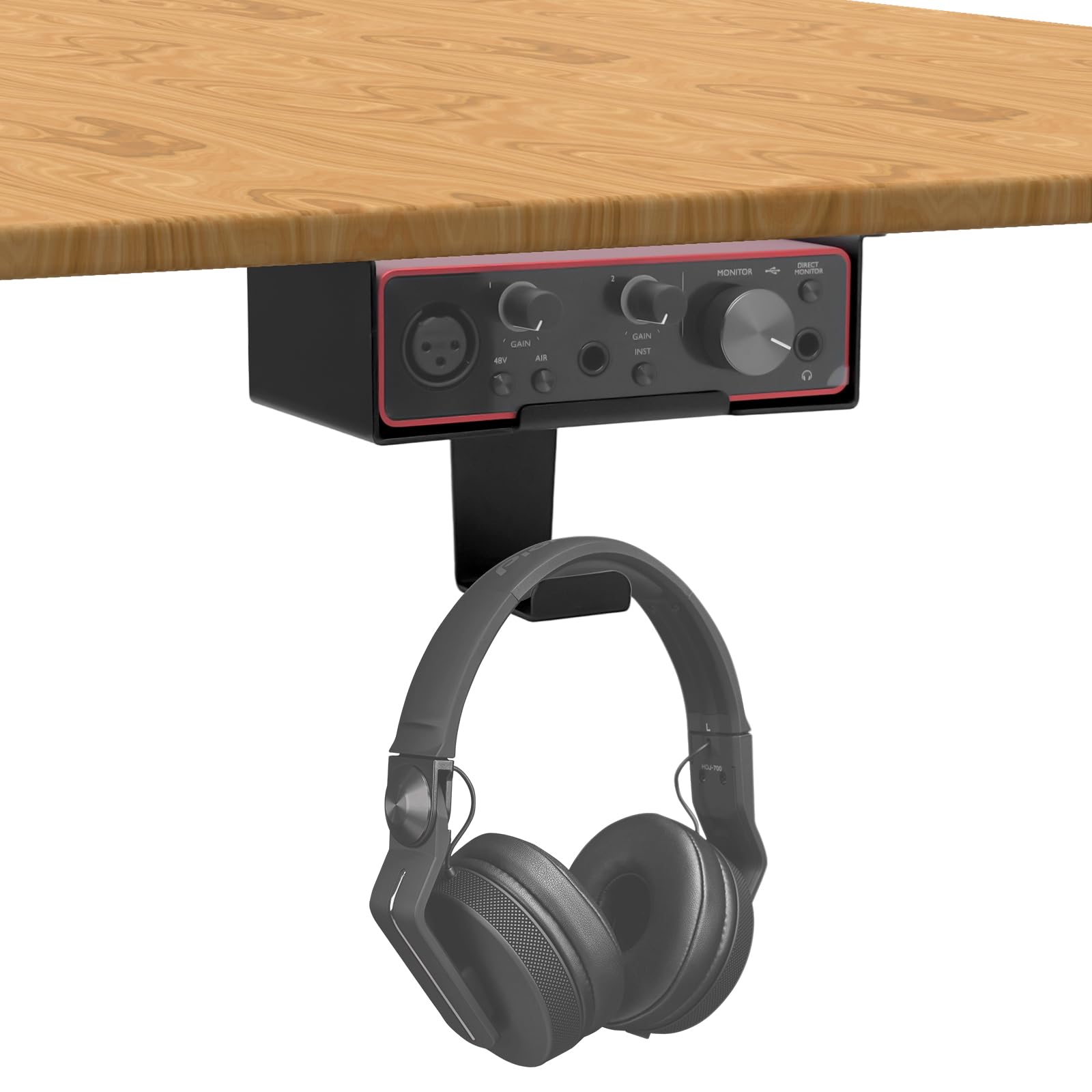
The FSNIWEKO under-desk mount is a metal shelf designed to hold a Focusrite Scarlett Solo (3rd or 4th gen) underneath a desk, freeing up valuable workspace. It also includes a small headphone hanger on one side. For anyone with a cluttered desktop, the concept is immediately appealing. But does the execution hold up in real-world use? After spending a few weeks with it in a typical home studio setup, here’s what I found.
The mount is essentially a black steel bracket that clamps to the edge of your desk. The Scarlett Solo sits on a flat shelf, and a lip on the front keeps it from sliding off. The headphone hanger is a simple curved hook, welded to the side of the shelf. Installation is straightforward: you position the clamp, tighten a few bolts, and you’re done. It took me about five minutes, and the included rubber pads protect the desk surface from scratches. The build quality feels solid—the steel is thick enough that I don’t worry about it bending under the weight of the interface, and the clamp holds firm on a standard 25mm desk edge.
In daily use, the mount does what it promises. The Scarlett Solo fits snugly on the shelf, and having it under the desk does clear up a good chunk of desktop real estate. The headphone hanger is handy for keeping a pair of cans within reach but out of the way. If you’re working with a compact setup—say, a laptop on a stand and a small MIDI controller—this mount can make a noticeable difference in how tidy your workspace feels.
However, there are a few trade-offs to consider. The most obvious is access. With the interface mounted under the desk, you’re reaching down to adjust the monitor volume knob or plug in a cable. That’s fine if you set levels once and leave them, but if you frequently tweak the volume or swap between headphones and monitors, the awkward angle can get annoying. The headphone jack is also on the front of the Scarlett, so plugging in a cable requires a bit of fumbling—especially if the mount is positioned close to the edge of the desk, which it tends to be.
Another limitation is the hanger. It’s welded to the left side of the shelf, so if your desk layout requires the mount to be oriented differently, the hanger might end up on the wrong side. It’s a minor issue, but it’s worth thinking about before you install. Also, the mount is specifically designed for the Scarlett Solo’s dimensions. If you later upgrade to a larger interface like a Scarlett 2i2 or a different brand entirely, you’ll likely need a new mount.
Compared to a simple desktop stand or a vertical holder that sits on the desk, this under-desk mount trades convenience for space. A desktop stand keeps the interface at arm’s reach and easy to see, but it takes up surface area. The FSNIWEKO mount is the opposite: it saves space but makes the interface less accessible. There’s also the question of aesthetics—some might prefer the look of a sleek metal stand on the desk rather than a bracket hidden underneath. It’s a matter of priority.
Who is this mount for? It’s ideal for someone with a small desk who rarely touches the interface after initial setup—maybe you use it mainly as a USB audio interface for studio monitors, and you adjust the volume through software or a separate monitor controller. It’s also good for keeping a clean, minimal appearance in a home studio. On the other hand, if you’re constantly plugging in guitars, mics, or headphones, or if you rely on the physical volume knob on the Scarlett, the under-desk position will likely frustrate you. In that case, a simple desktop stand or even just leaving the interface on the desk might be the better choice.
One thing to note: the mount is sold as a “holder only,” meaning you don’t get any additional accessories like cable ties or a separate headphone hanger—though the hanger is included. The price is reasonable for a metal bracket of this quality, but it’s not a bargain-bin item. If you find it on sale, it’s a solid deal.
Overall, the FSNIWEKO under-desk mount does its job well for a specific use case. It’s well-built, easy to install, and effective at decluttering your workspace. But the lack of easy access to the interface is a genuine downside that you should weigh before purchasing. If your workflow involves constant interaction with the Scarlett, this mount might not save you as much time as it saves space. For those who set and forget, it’s a practical addition to a compact studio.